

Typeless transcribes and rephrases what you say
Typeless turns what you say into text and cleans it up into something you can use as is. It's made by Simply CA LLC in California, and it runs on Mac, Windows, Linux, iPhone and Android1.
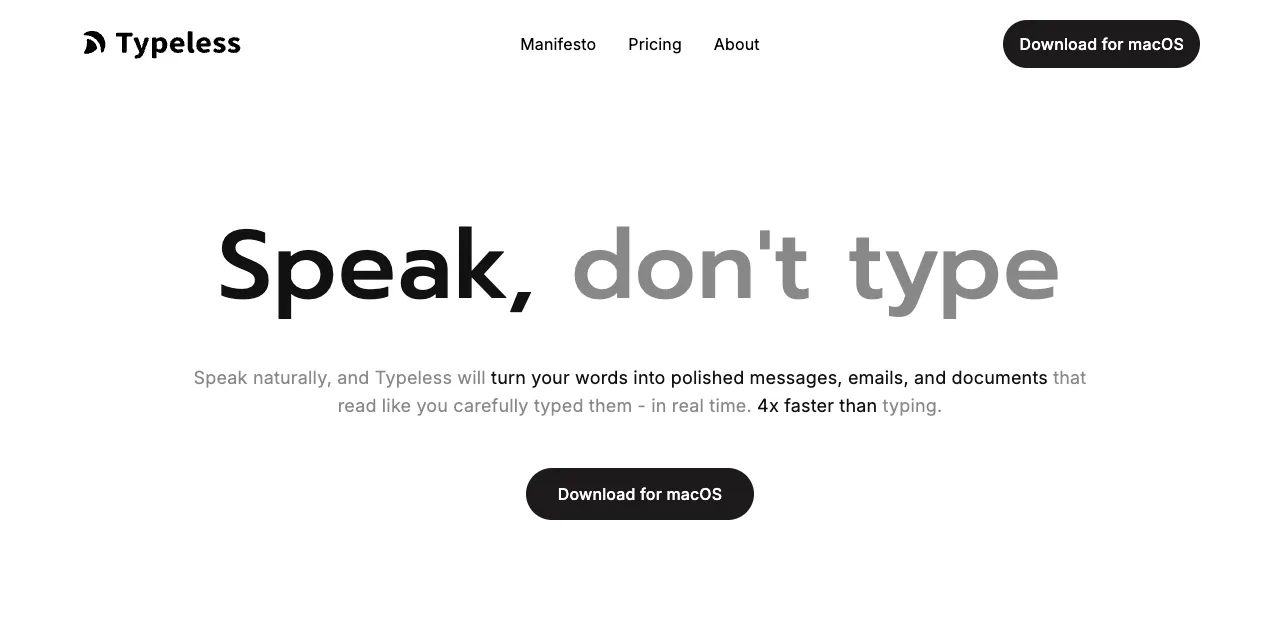
Two things stand out at the top of the site:
- The headline "Speak, don't type"
- "4x faster than typing" at the end of the description
"4x" is Typeless's own claim, and the page doesn't say how it was measured. Read it as a rough indication.
The basic flow is the same as other dictation apps:
- 1Press a keyOn Mac, the Fn key or similar. Works in any app's text field
- 2SpeakNo need to worry about "um" or restarting a sentence
- 3Cloud processingTranscribes, removes filler words, adds punctuation and tidies the text
- 4Text appears at the cursorYou can also set a different tone for each app
Its main advertised features are filler-word removal, per-app tone, a personal dictionary and translation. What sets it apart is that it doesn't just tidy the form of your speech; it rewrites the wording.
Pro is $12 a month billed annually, or $30 billed monthly
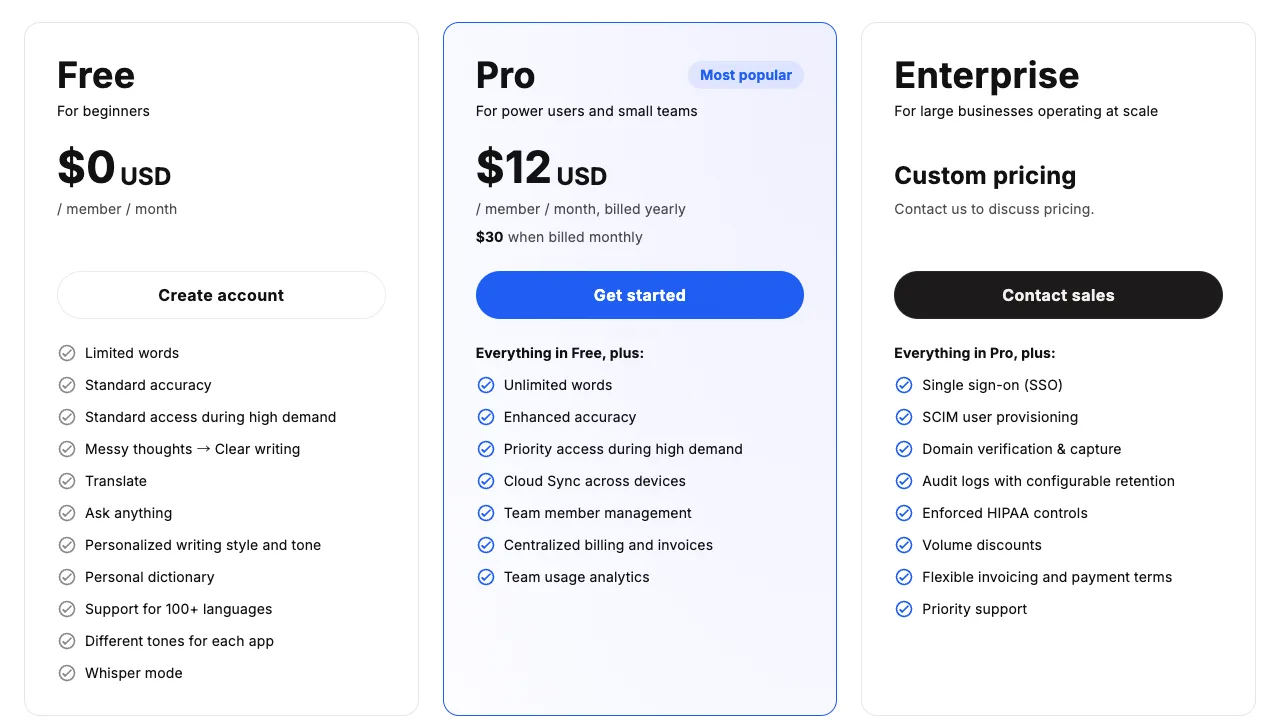
The column to look at is Pro, in the middle:
- $12 a month billed yearly (the large figure)
- $30 when billed monthly (in small type below)
- The first line in the Free column says "Limited words," without saying how many
On the same Pro plan, the monthly cost more than doubles depending on how you pay.
| Plan | Price | Main differences |
|---|---|---|
| Free | $0 | Weekly word limit; "Standard accuracy" |
| Pro | $12/mo billed annually, $30 billed monthly | Unlimited words, enhanced accuracy, cloud sync across devices |
| Enterprise | Custom pricing | SSO and other admin features |
The pricing page doesn't state the free word limit. In the Mac app, the free plan showed a limit of 2,000 words when we checked (2026-10-25). Some write-ups mention 8,000 or 4,000 words a week, so the limit may have changed over time2. The Free column also lists "Different tones for each app," so you can try per-app tone for free.
At $30 billed monthly, it's on the expensive side for this category.
Praise in the reviews we checked: what you say becomes text you can use
Public reviews mostly praise two things.
| Positive feedback | What they say | Example sources |
|---|---|---|
| Speech becomes usable text | Ums disappear. If you restart a sentence, the final version is what gets written | Product Hunt reviews3 |
| More writing gets done | People write more in a day, and long passages go in quickly | App Store (US) reviews4 |
The numbers are strong too (as of 2026-10-25)5:
- App Store (US): 4.5 stars (773 ratings)
- App Store (Japan): 4.5 stars (1,048 ratings)
- Product Hunt: the iPhone app was #1 Product of the Day on 2025-12-24
In the reviews we checked, most of the praise was about how it cleans up text, not about recognition itself. That seems to be what those users chose it for
Complaints in the reviews we checked: price and over-editing
| Critical feedback | What they say | Example sources |
|---|---|---|
| Price | $30 billed monthly is expensive; even annual billing is higher than others | Trustpilot review (Sep 2026)6 |
| Over-editing | It rephrases rather than writing what you said; long passages need fixing | App Store (US) reviews7 |
| Freezing and waiting | The app froze mid-dictation; even short sentences mean waiting for processing | Trustpilot review, a user write-up (Jun 2026)8 |
"Over-editing" is the flip side of the praise that speech becomes usable text:
- It rewrites your wording → even casual speech comes out polished
- It rewrites your wording → your own words don't survive as you said them
Which way you feel depends on you and on what you're writing.
Audio is processed in the cloud, but Typeless says it neither stores nor trains on it
In February 2026, a post on X claiming that an analysis of Typeless's network traffic showed "serious risks" was widely read in Japan. In response, an engineer checked the app's permissions and traffic and published the results9:
- Camera access: false
- The term "keylogger": exaggerated; it was detecting the shortcut key
- Audio being sent to the cloud: true
So what does Typeless officially say today? Here is its data controls page (updated 2026-10-13).
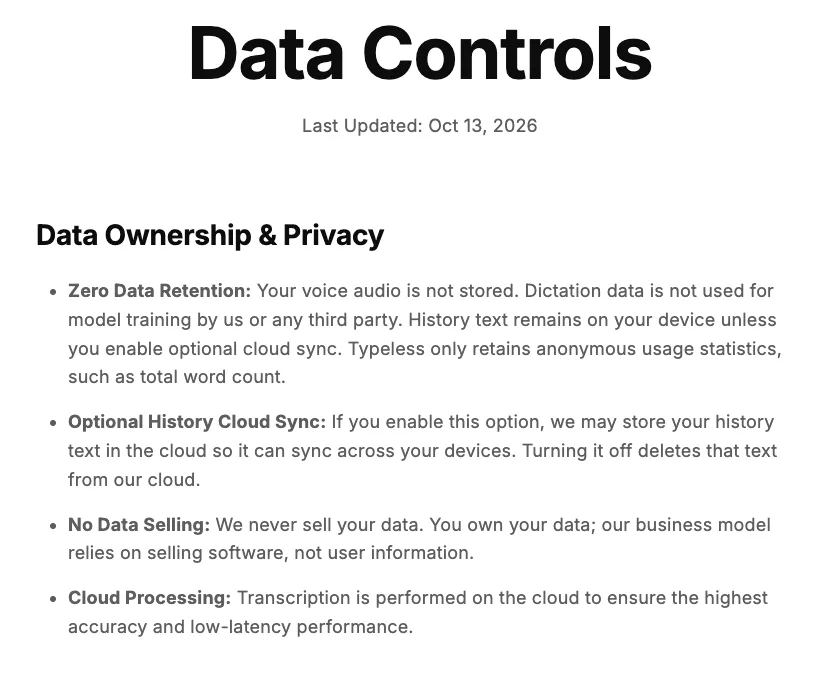
The first item, "Zero Data Retention," sums it up:
- Audio isn't stored
- Your dictation isn't used for training by Typeless or any third party
- History stays on your device (unless you turn on cloud sync yourself)
And the fourth item, "Cloud Processing," says transcription happens in the cloud. The home page summarizes the same points briefly.
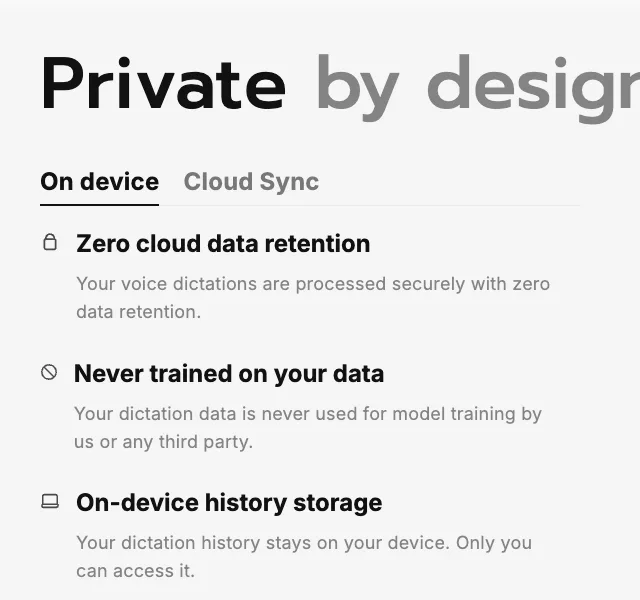
In other words, Typeless is not a tool that keeps audio on your device, but one that processes it elsewhere and keeps nothing. The difference between the two, and what to check when you choose a cloud tool, is covered in “Is local dictation safer?” (Local here means your audio is turned into text on your Mac instead of being sent over the internet; features such as formatting, sync or logs may still go online, so check each tool.)
 Read nextIs local AI dictation safer? Local vs cloud and their limitsProcessing your voice locally, so it never leaves your Mac, is a reassuring choice. But a Mac's computing power is limited, and that shows up in how well it hears you and how well it cleans up your text. And if you use a cloud tool, what should you check to use it with confidence? We lay out the limits of both.
Feedback specific to the Japanese language is covered in our Japanese edition. In any language, it's worth trying the free plan with your own way of speaking before you decide.
It suits people who want polished text even when they speak casually
- You want polished text even when you speak casuallyA good fit
- You want to write email, chat and AI prompts by voiceA good fit
- You want to keep your own wordingLook at tools that edit less
- You want to keep costs around $10 a monthCompare other options too
- You don't want audio to leave your MacLook at tools that process locally
If Typeless isn't right for you, “Alternatives to Typeless” lists options by reason for switching. For how it compares with Aqua Voice, see “Typeless vs Aqua Voice”.
 Read nextTypeless alternatives: 8 dictation apps, by reason to switchToo expensive, rephrases too much, or you don't want your audio leaving your Mac. People switch from Typeless for different reasons, and the right replacement changes with the reason. We set out what to look at for each reason and lined up 8 options alongside screenshots of their pricing pages.
 Read nextTypeless vs Aqua Voice: price, privacy and which to chooseTwo dictation apps that often come up together, compared using only what their official pages say. The question isn't which one is better, but which one suits whom, within the facts we could confirm.
SayonaraType
A voice input app for Mac. Free to try — formatting for English is still being researched.
How we checked
We checked Typeless's pricing and data handling on its official pages on 2026-10-25 and 2026-10-26 and took screenshots. For user feedback, we read public reviews on the App Store, Product Hunt and Trustpilot, along with published write-ups, and grouped them by type. We did not measure recognition or formatting quality ourselves.
Notes
- Company information is from Typeless's About page (typeless.com/about, checked 2026-10-25). Supported platforms are as shown on the official site. ↩
- The official pricing page (checked 2026-10-25) does not give a number. The 8,000-words-a-week figure comes from a 2026 English roundup article and a user write-up (2026-06-10); the 4,000-word figure comes from an earlier write-up. ↩
- Product Hunt reviews of Typeless. User write-ups on note.com (Feb 2026) say the same. ↩
- App Store (US) reviews, checked 2026-10-25. ↩
- App Store ratings were checked on the US and Japan stores on 2026-10-25. The Product Hunt ranking is from hunted.space records and Typeless's official site. ↩
- A Trustpilot review of typeless.com (2026-09-12; checked 2026-10-25). The Trustpilot rating is based on only three reviews. ↩
- App Store (US) reviews (checked 2026-10-25) and a user write-up on note.com (2026-02-06). ↩
- A Trustpilot review of typeless.com (2026-09-12) and a user write-up on note.com (2026-06-10). ↩
- A technical write-up on Zenn, a Japanese developer platform (Feb 2026). Typeless's response at the time was summarized in a note.com post (2026-02-13). We did not verify the original post on X. ↩
Sources
- Typeless official site (typeless.com), pricing (typeless.com/pricing), data controls (typeless.com/data-controls) and About (typeless.com/about), checked 2026-10-25 and 2026-10-26
- App Store, "Typeless - AI Voice Keyboard" (US and Japan), checked 2026-10-25
- Product Hunt reviews of Typeless, checked 2026-10-25
- Trustpilot, "typeless.com," checked 2026-10-25
- Published user write-ups and a technical analysis (see notes)